BeEmpowered
We partnered with Bugle Creatives to create a website that empowers Booz Allen employees, through better information architecture, a clearer user experience and a beautiful presentation of new and existing content.
Client
- Booz Allen Hamilton
- with Bugle Creatives
What we delivered
- Information Architecture
- User Experience
- User Interface Design
- Front-End Development
Technologies
- SharePoint
- Bootstrap
- HTML5 / CSS3
- Sass
- jQuery
The task
Deliver a custom, redesigned portal that aligns people programs, platforms, investments, services and resources with Booz Allen’s Empowerment strategy. The goal was to take the guesswork out of creative decisions by grounding the information architecture, content strategy and user experience in data and common-sense insights.
Strategy
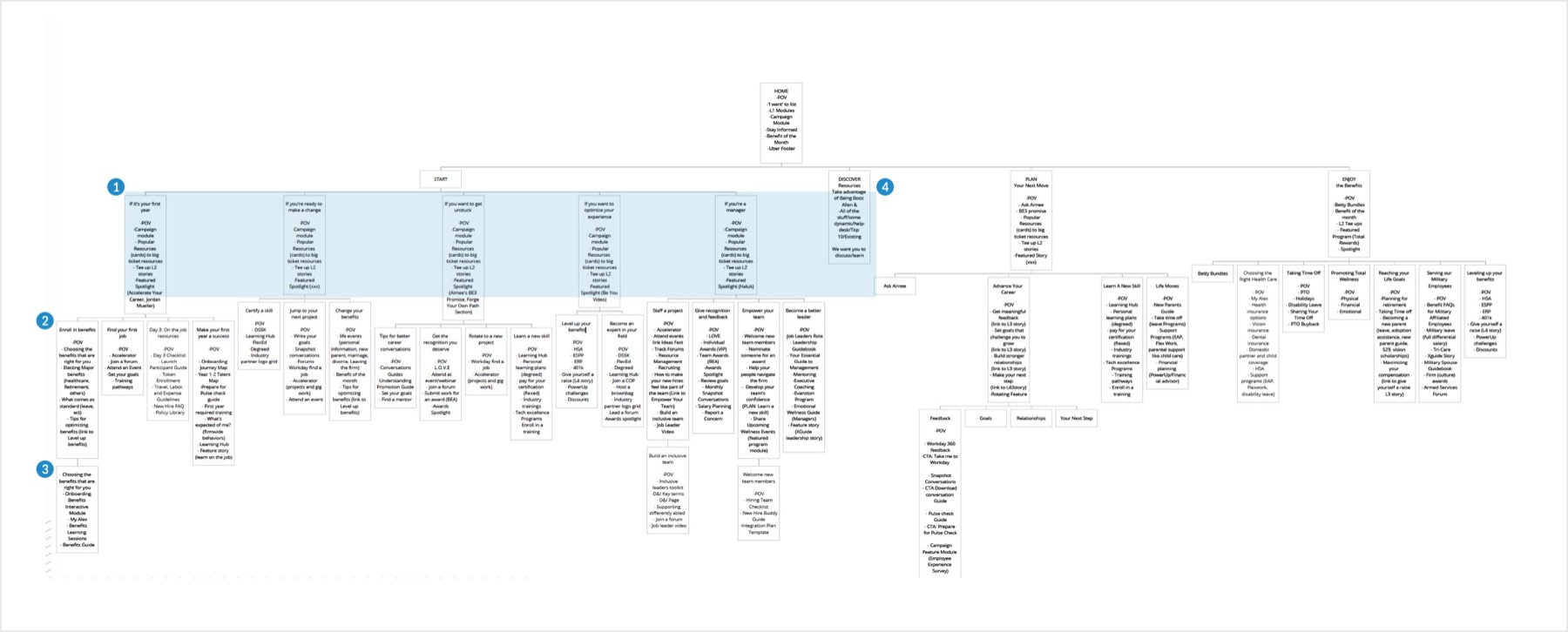
Information architecture was the largest undertaking. Earlier versions of the site told employees “you are empowered” in organizational jargon that didn’t say much. We worked with leadership and stakeholders to build a hierarchy that speaks the employee’s language, not the business’s, and shows employees they’re empowered instead of telling them.
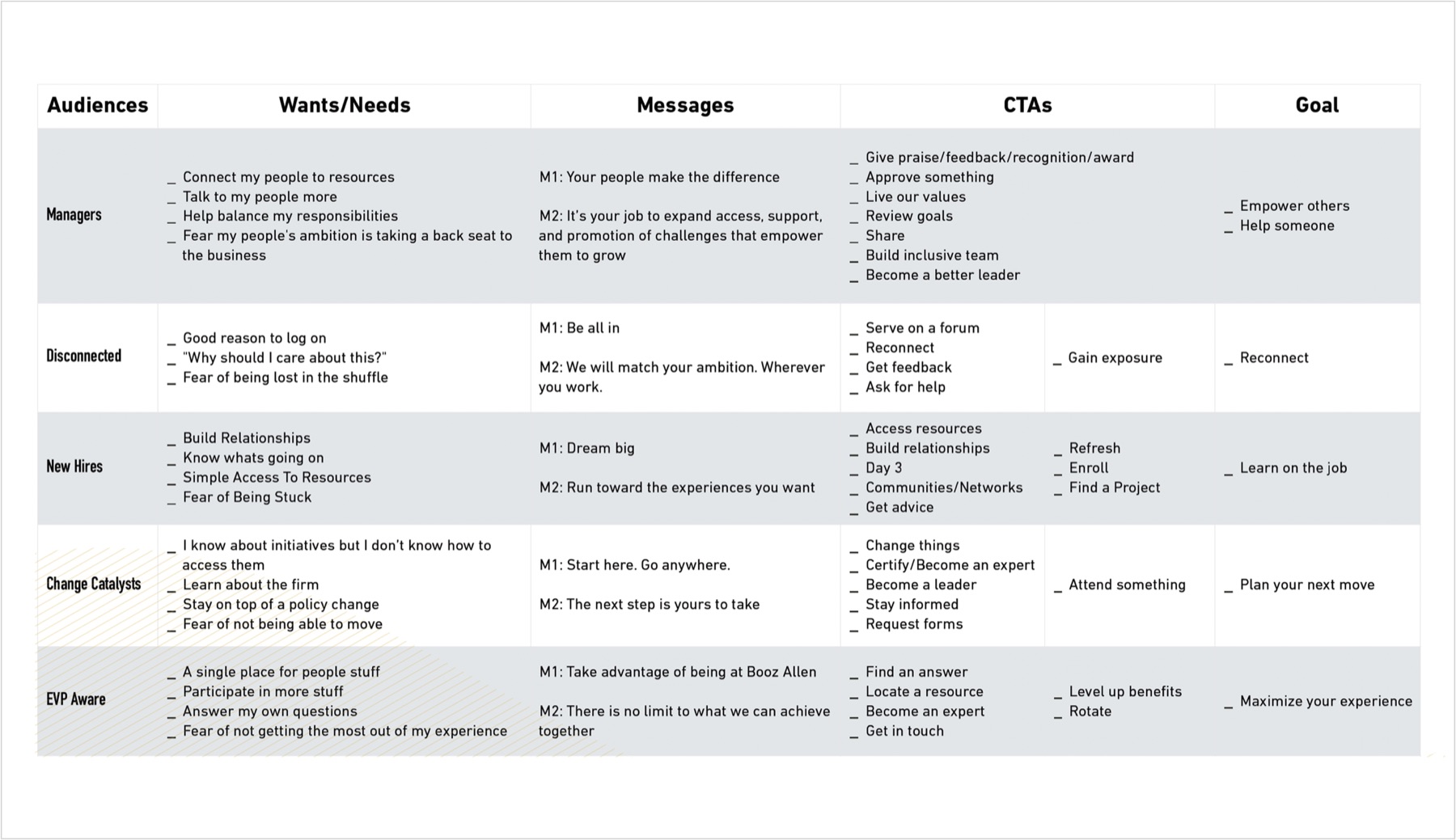
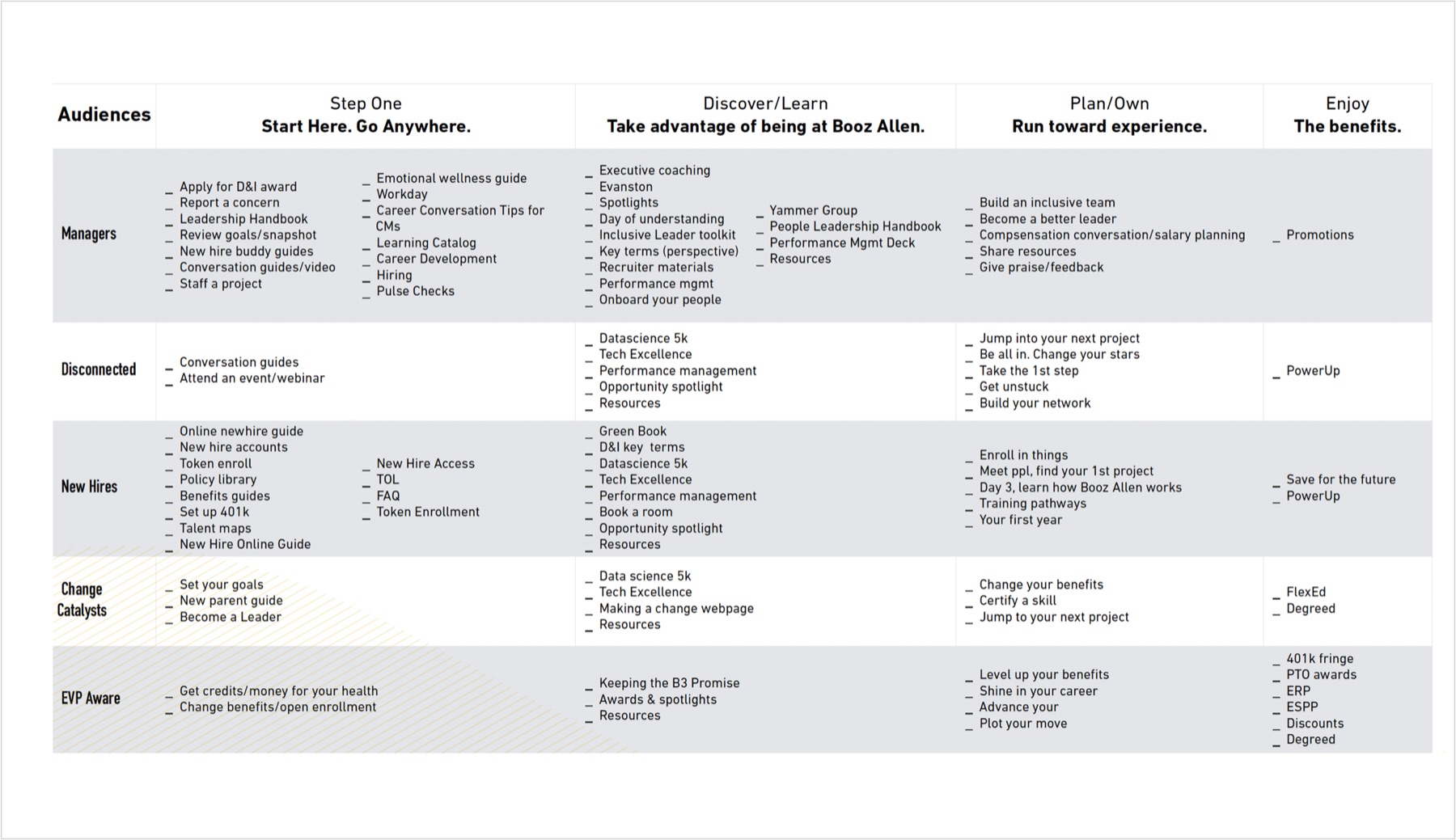
To get there, we mapped the wants and needs behind each persona in the organization, then aligned each one to goals, actions and specific resources available to them.
The result was an IA built on levels of depth. Level 1 speaks directly to each persona lane (“Start here if you are…”). Level 2 branches into programs and resources for that lane. Level 3 is the deepest: an in-depth article, person spotlight or success story.
User experience
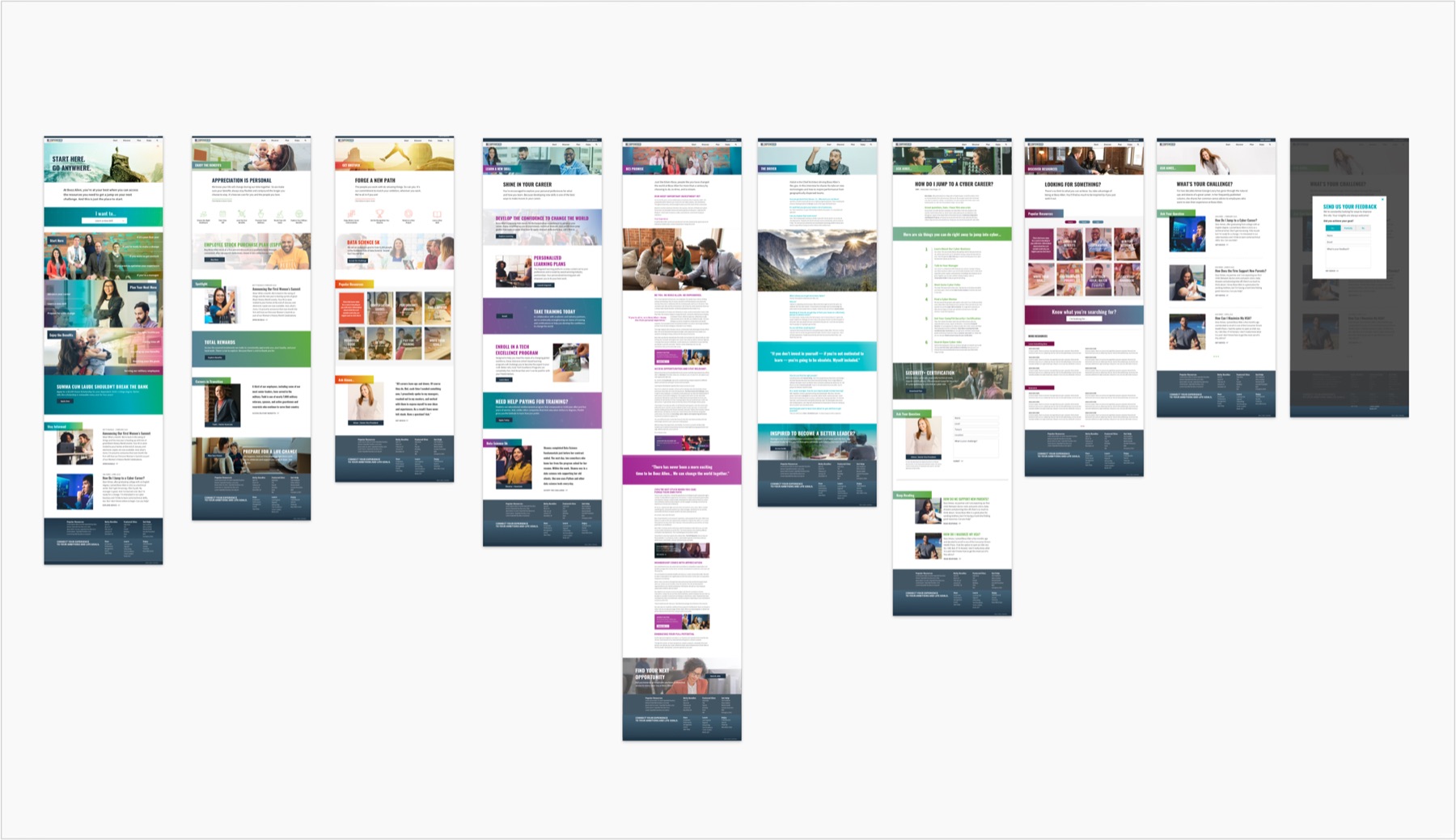
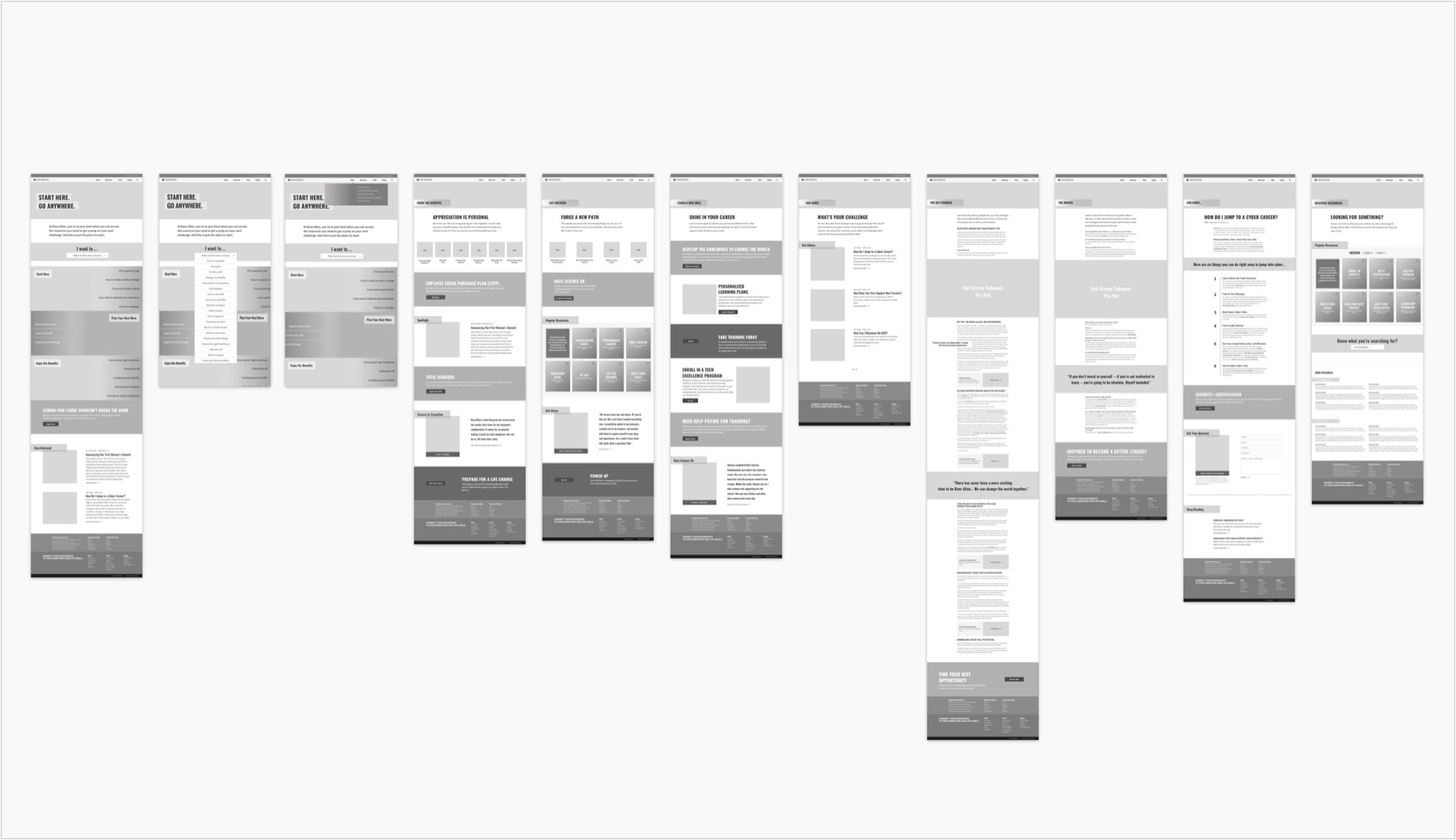
Our UX phase builds directly on the strategy. Our wireframes are high fidelity: they set exact layout, typography and functionality, and serve as a 1:1 template for the design mockups.
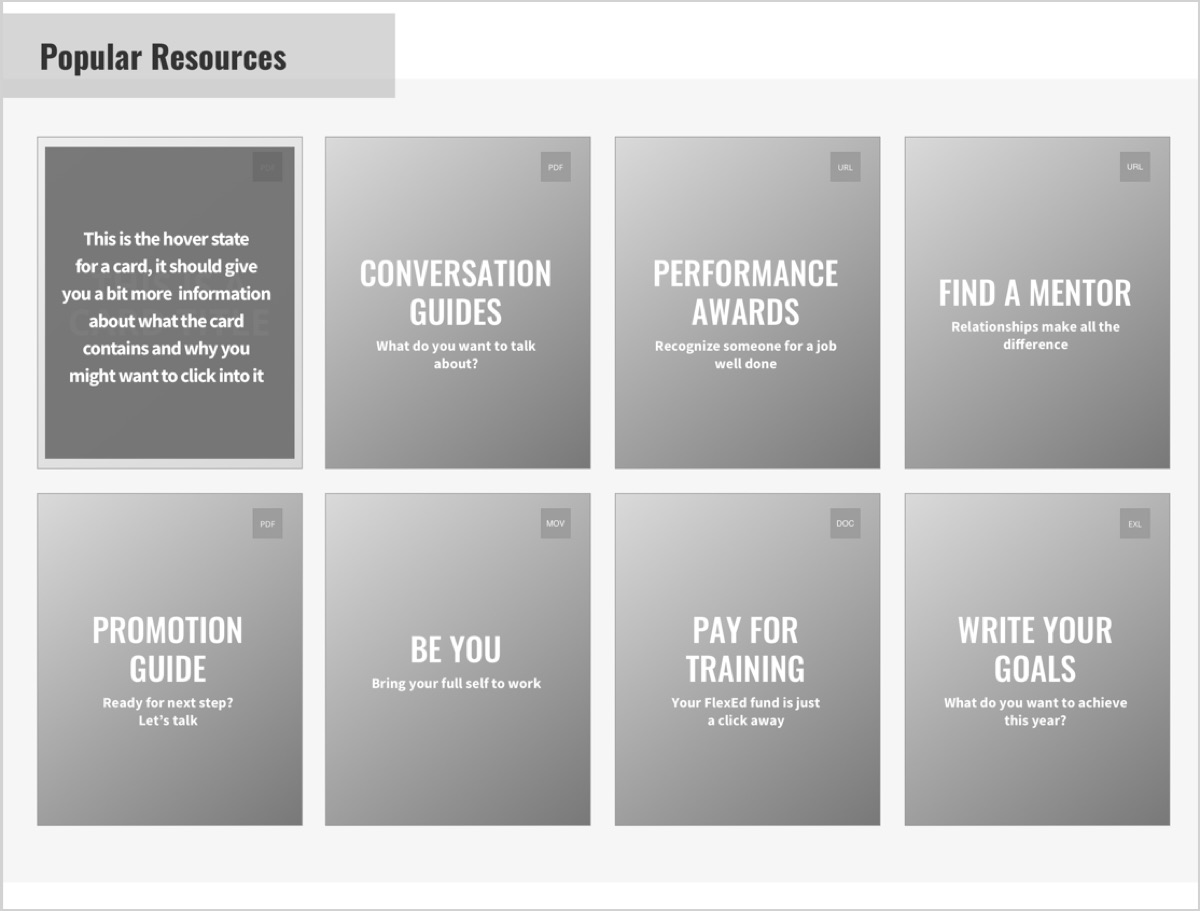
Research turned up hundreds of resources that employees could only reach through search. So we designed a card system that surfaces 8–16 resources on any Level 2 page. Each card has a short title, a type indicator (PDF, URL, video) and a hover excerpt, giving employees just-in-time access instead of a trip to global search.
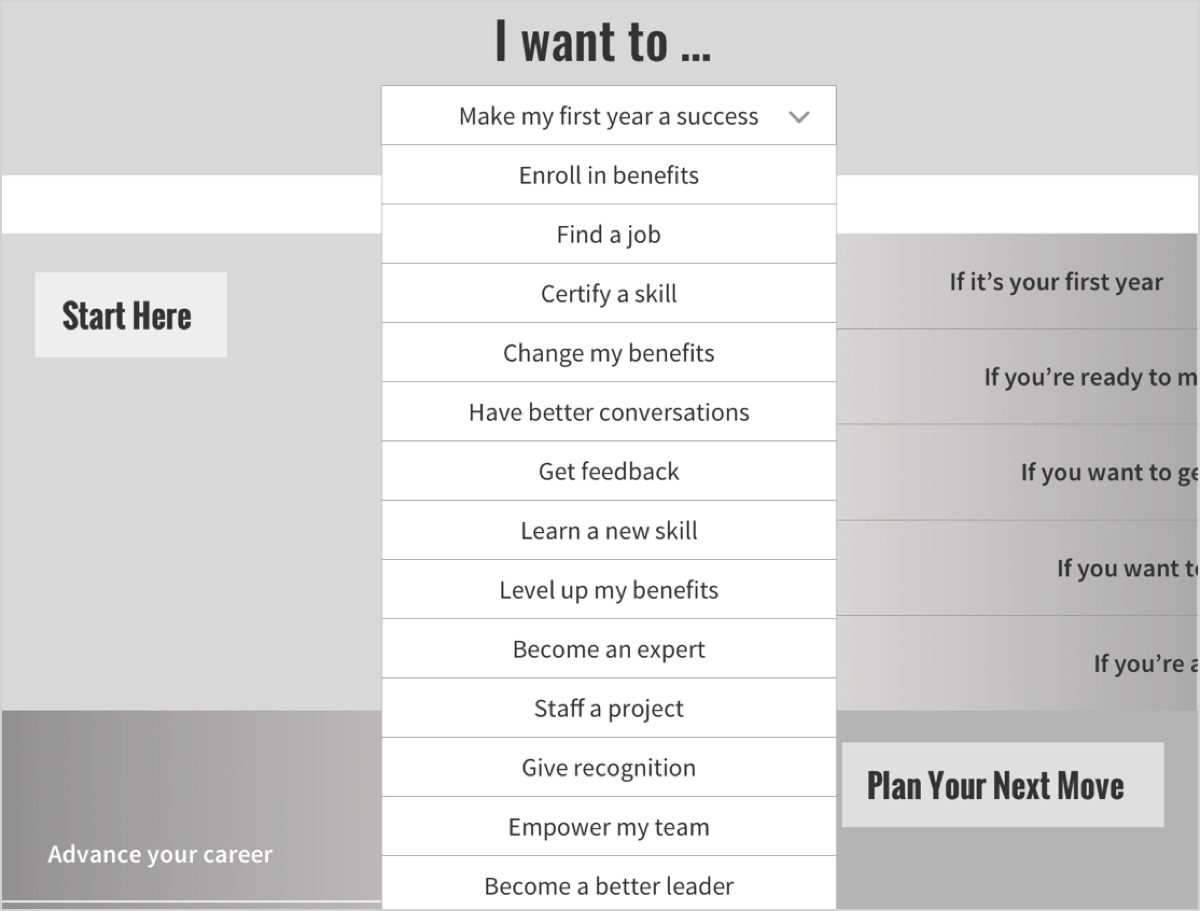
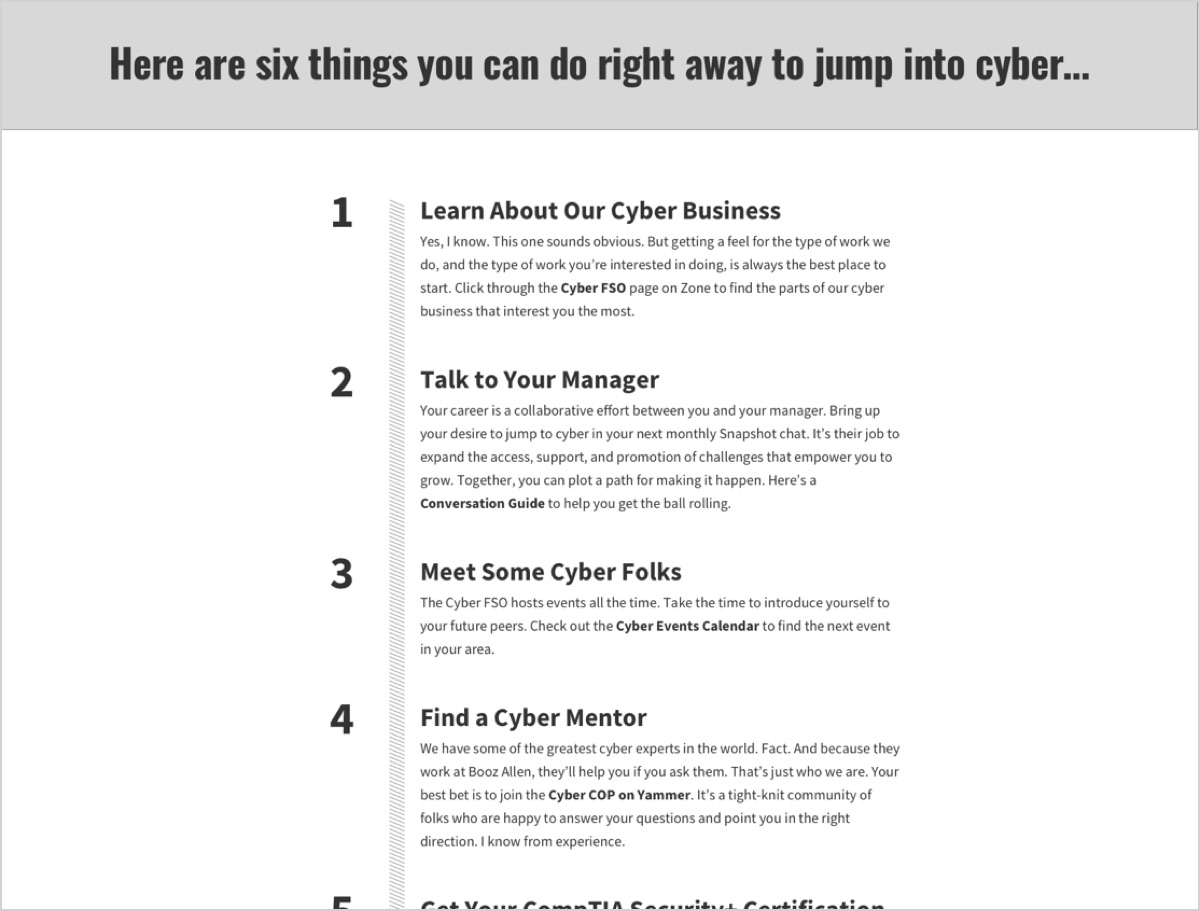
An “I want to…” box lets employees jump straight to any Level 2 page. Together with the main navigation and the homepage’s lane boxes, it gives people three routes into the content they need. Research also uncovered a new content type: a list-driven “Ask the Expert” article with its own numbered-list design.
Interface design
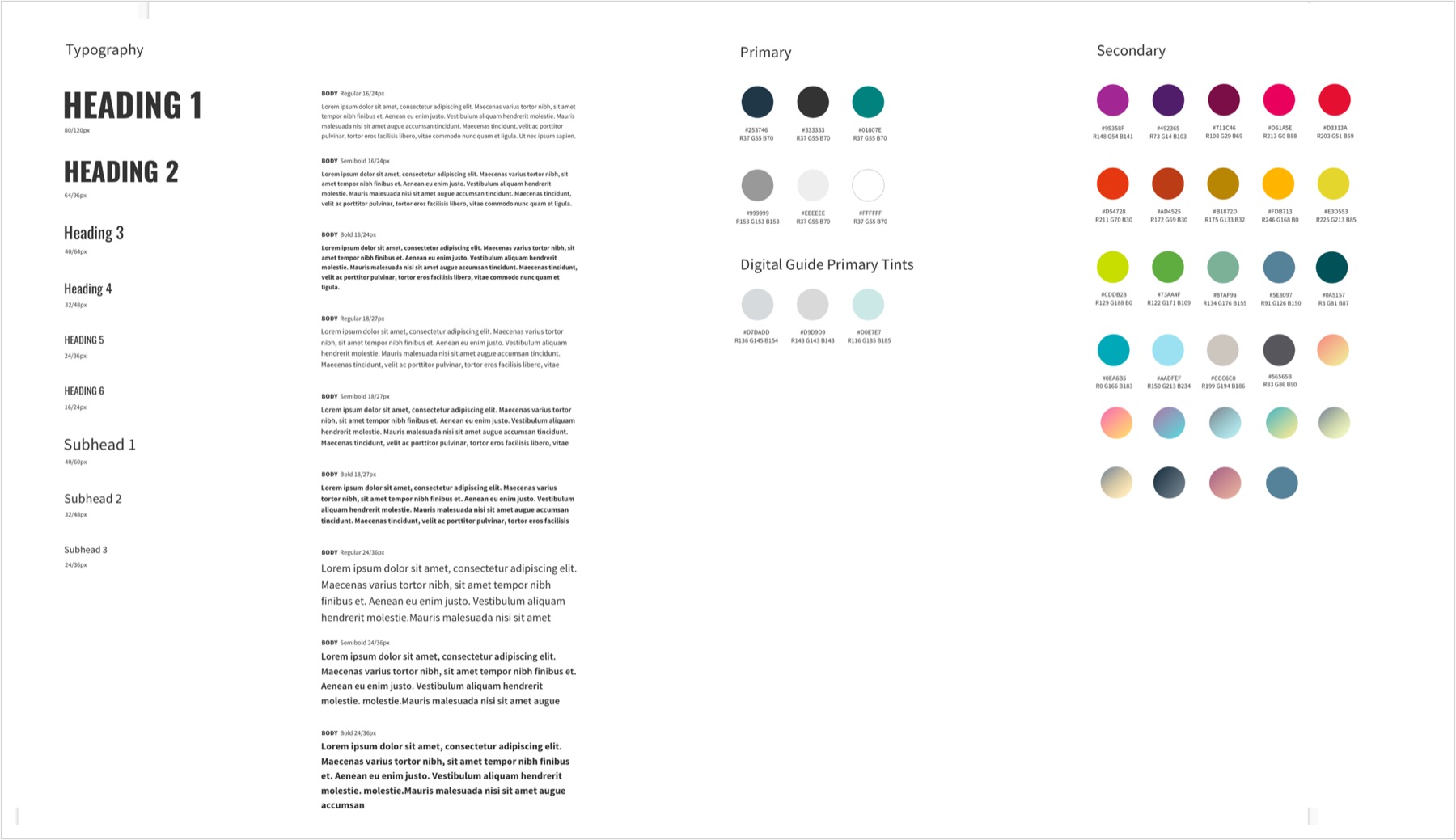
We skinned the wireframes with color, type and imagery. We knew the brand standards well, so we leaned on them. One distinctive touch: each persona path (Manager, New Hire, Benefits and so on) gets its own “color lane,” which keeps users oriented and ties each page’s branding together.
Development
We built a fully decoupled front end with CSS3 animations, SVG graphics, Bootstrap and JavaScript, then broke it into modular components that can be reused in SharePoint to build pages with custom web parts.
Ready to find your way home?
Send us a note about what you’re working on, and we’ll show you the way.
Get in touch